
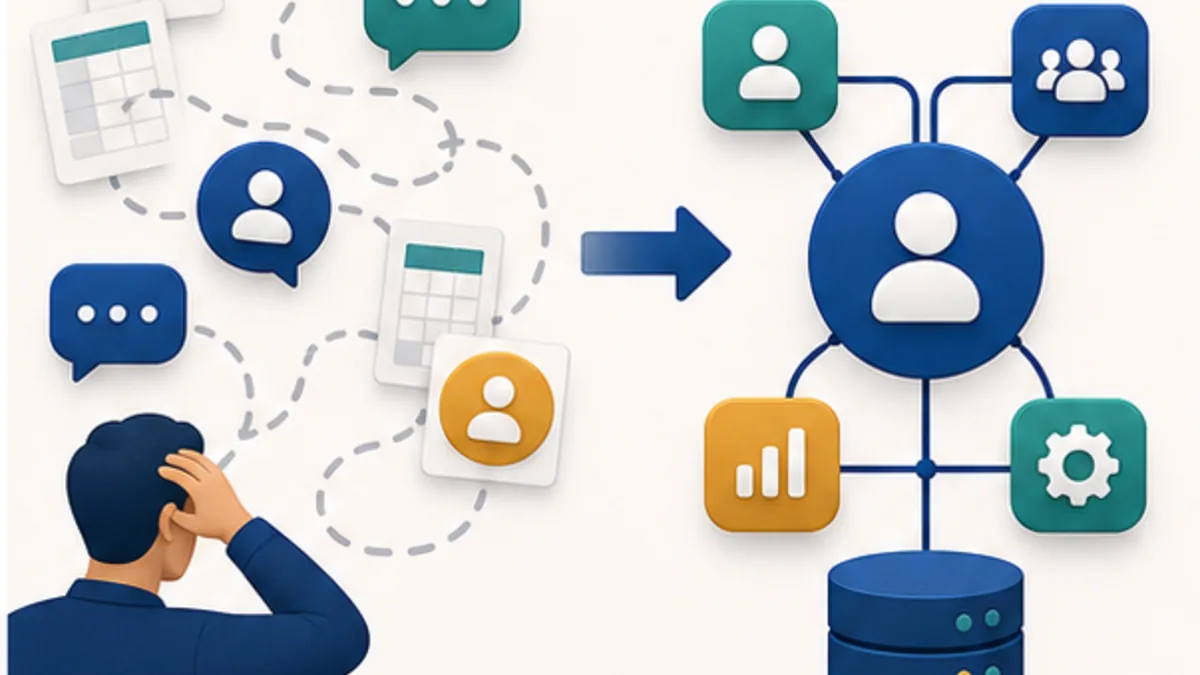
Many small businesses run manually for a long time. Customers live in a spreadsheet, bookings in a calendar, tasks in a chat, payments in a bank export, and manager notes in someone’s phone. When there are few requests, this feels flexible and cheap.
The problem does not begin when there are “too many spreadsheets.” It begins when the manual mix of tools starts costing money: lost leads, mistakes, repeated work, tired staff, and no clear management picture.
Signal 1: requests are lost or handled too late
If a request arrives in one messenger, details are clarified in another, payment is marked separately, and status lives in a spreadsheet, the business depends on one person’s memory. A holiday, busy day, or missed message can cost a customer.
A CRM is not only for a pretty sales pipeline. It gives each request an owner, status, history, and next action. ERP-style logic becomes relevant when the request also needs to connect to schedule, resources, staff, inventory, or payment.
Signal 2: customer history is scattered
A customer has already contacted the business, bought something, moved a booking, asked for a discount, left feedback, or had a problem. But that information lives in different chats, with different staff members, or in old spreadsheets.
In this situation service quality drops. The manager asks unnecessary questions, forgets important details, and misses repeat-sale potential. A CRM solves this through one customer profile: contacts, history, requests, payments, notes, and next actions.
Signal 3: staff work from memory
If the order of work lives in employees’ heads, the business becomes fragile. A new person takes too long to onboard. An experienced employee leaves and takes part of the system with them. The owner constantly has to ask who did what.
A CRM/ERP helps turn the process into a clear working route: status, responsible person, task, notification, deadline, result. This is especially important for service businesses with appointments, shifts, equipment, locations, and repeat customers. If the immediate problem is limited to lost tasks and handoffs, start with a simple YouGile workflow; customer data and commercial statuses should still stay in their own system.
Signal 4: the owner cannot see the picture without manual reconciliation
If understanding the business requires combining a spreadsheet, chat, bank data, and manager memory, the management picture appears too late. The owner sees consequences, not the live process.
A good system shows active signals: how many requests arrived, how many were confirmed, where customers are stuck, which services are overloaded, which staff members are at capacity, which payments are expected, and where cancellations or reschedules happen. Once those records are reliable, AI inside CRM and ERP can help prepare summaries and explain operational signals while leaving decisions to a person.
Why spreadsheets help first and then become a limitation
A spreadsheet is good when you need to record data quickly. It is flexible, familiar, and almost free. But a spreadsheet does not control a process well. It does not know who should act next, does not prevent mistakes, does not keep convenient customer history, and does not connect data with actions.
A messenger is good for communication, but poor as an operating system. It is easy to discuss a task there, but difficult to guarantee that the task is not lost, completed on time, and reflected in reporting.
What CRM and ERP mean in practice
For small business, the border between CRM and ERP is often less strict than in enterprise presentations. A practical way to think about it is:
- CRM covers customers, requests, communication, sales, statuses, and follow-ups;
- ERP covers operations: resources, schedules, inventory, staff, documents, payments, and internal workflows.
Many small businesses need a hybrid: CRM for customer flow and ERP-style modules for what happens after a sale or booking.
What can be automated without rebuilding the whole business
Moving to CRM/ERP does not have to be a massive implementation. The guide to an affordable custom CRM or ERP for small business explains this approach to scope and budget. The first step can be one clear contour:
- a request enters the system and receives a status;
- the manager sees the customer and interaction history;
- an appointment or booking appears in the schedule;
- a staff member receives a task or notification;
- payment is marked in the customer record;
- the owner sees a simple report.
This is not a full business transformation. It is moving the most important workflow from manual mode into a controlled system.
What a first version can look like for a service business
For a business with appointments or bookings, a first version may be enough if it includes:
- customer profiles;
- requests and bookings;
- staff or resource schedule;
- payment and completion statuses;
- notifications;
- reports on workload, money, and lost requests.
This logic is common in service businesses: the public website is only the top layer, while the inside needs customers, bookings, locations, staff, equipment, and a manageable operating contour.
How AI-assisted development can reduce first-version cost
A quality CRM/ERP still needs a specialist: someone has to understand the process, design roles, data, statuses, and interfaces correctly. But parts of development can be accelerated with an AI-assisted approach: typical components, code drafts, test data, interface variants, and technical preparation.
Because of this, a first version can be more affordable than traditional heavy development. But quality does not come from AI alone. It comes from a managed process: a specialist defines the task, reviews the result, connects the system as a whole, and keeps the scope from expanding.
Practical conclusion
A business needs CRM or ERP not “for digital transformation,” but when manual control starts costing money. If requests are lost, staff work from memory, customer history is scattered, and the owner cannot see the picture without manual reconciliation, the business is ready for a first system version.
It is better to start not with a massive implementation, but with one process where automation quickly creates value. Then CRM/ERP becomes not an expensive toy, but a working management tool.
Once the need for a system is clear, test the implementation approach on one workflow. The guide to choosing ready-made CRM, integration or custom software provides a requirements table for bookings, resources and payments. If an existing product passes essential checks, custom development may be unnecessary.
Practical decision checklist
- List recurring failures and their cost.
- Define owners, statuses, and next actions.
- Choose CRM, ERP, or a focused custom workflow.
- Migrate and train around one complete process.
Is it time to replace spreadsheets and chats with a real system?
We can help identify the first workflow to automate and build a custom CRM/ERP around the real work of your business.
Open business automation page